
Tariffs and What the Price Consists Of
The price of promotion consists of the volume of the cascade: how many publications are made at each level and how many crowd mentions are added. The tariff is a ready-made set of such parameters, while the flexible mode allows you to assemble the configuration yourself. The basic cascade for one page starts at $30; current prices for all services are collected on the “Tariffs and Prices” page.
How the Selection Looks
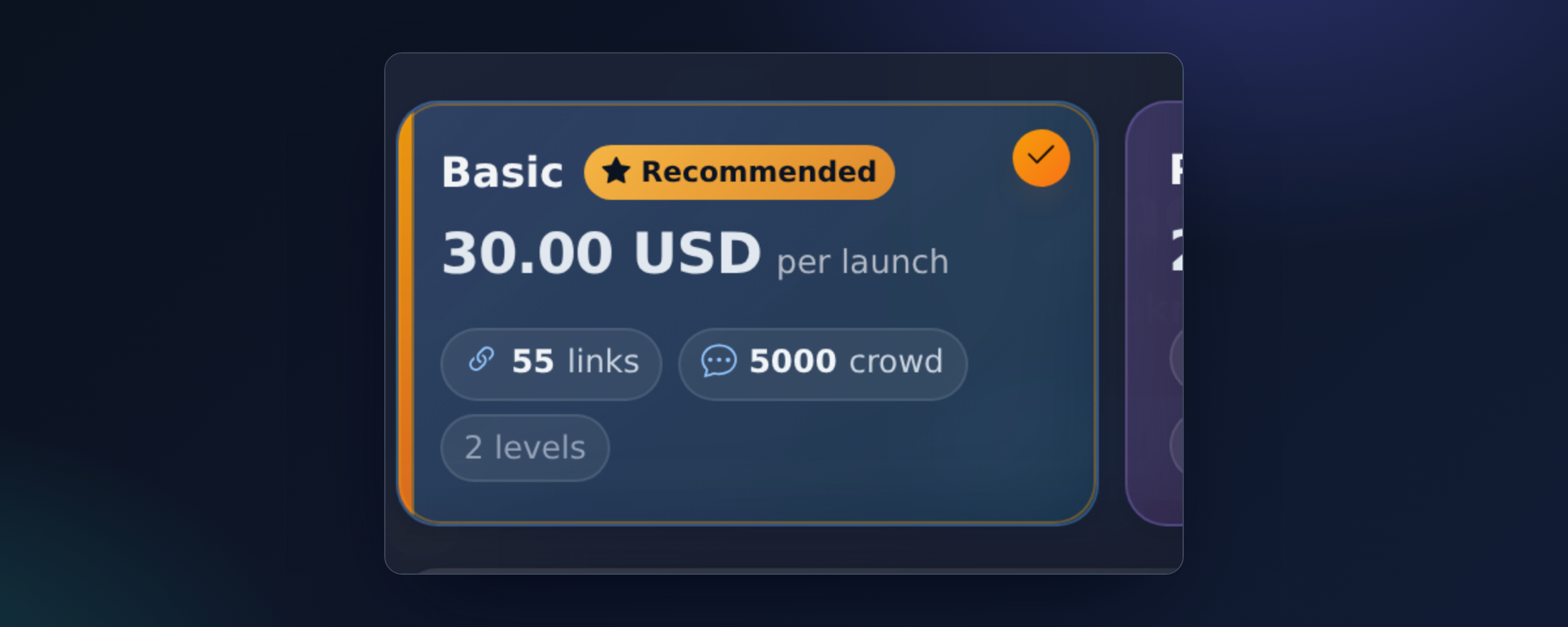
On the card of each tariff, it is immediately indicated how many links and crowd mentions you will receive for this amount. Nothing is counted “in fact” — the final cost is known before confirmation.
What the Cost Consists Of
- First-level publications — the most expensive: these are unique articles on trusted platforms with a direct link to your page.
- Second and third levels — enhancements, cheaper, but their volume is usually many times larger.
- Crowd mentions — the most mass and cheapest layer.
- Priority indexing — an optional markup in percentage to the cost of the cascade.
It is important to understand what exactly you are paying for: for the volume of verified links. If a publication does not pass verification, the slot is relocated to another platform without additional payment — see “Why are only verified links in the report”.
Flexible Tariff
If the ready presets do not fit, enable the flexible tariff and set the number of links at each level manually. This way, you can assemble a very small launch — for example, a few links to one page to check the quality of platforms and texts before scaling.
When Money is Deducted
At the moment of launch confirmation. If you chose to start on a schedule, the money is still deducted immediately, and the cascade simply starts at the appointed time.
Can I Cancel a Paid Launch
You can stop an ongoing cascade using the cancel button in the report: uncompleted tasks will be canceled, while already published publications will remain. Funds are not returned to the balance — there is no automatic refund for promotion on the platform. Therefore, the page address, anchors, and text wishes should be checked before confirmation: edits after publication are not possible, see “Can I delete or change a publication”.
How to Understand What Your Project Needs
Instead of guessing the volume, use the budget strategy: Radar will distribute the specified amount across pages with the highest return and show the expected effect. The list of pages where the increase is most likely is collected by the “Missed Traffic” block.
What to Do If Funds Are Insufficient
The launch window will show how much is lacking and offer a quick top-up. Payment methods and auto-top-up are described in the article “Balance: Top-up, Deductions, and Auto-top-up”, while discounts and multipliers are in the article “Bonuses and Top-up Promotions”.